New hardware · Coming January 2027
NinjaDial. Turn. Tap. They're in.
A round touch screen in a tactile dial that sits on your host stand or till. Today's bookings run around the ring: turn to the one at the door and tap once to check them in. No laptop to open, no list to scroll.
£89.99, or £39.95 if you've been with BookingNinja for more than a year.

How it works
The guest walks in. One tap later, they're arrived.
NinjaDial is a rapid way to check people in at the door or the till. BookingNinja decides what each booking's next step is, so the dial only ever offers the one that makes sense.
-
Turn to the booking
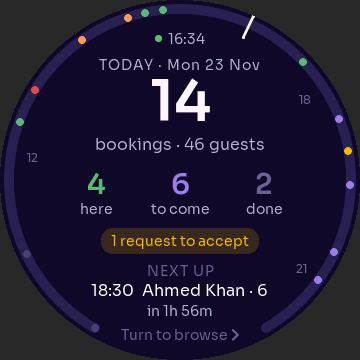
The day's bookings sit on a ring timeline. Turn the dial and it clicks from one booking to the next.
-
Tap the next step
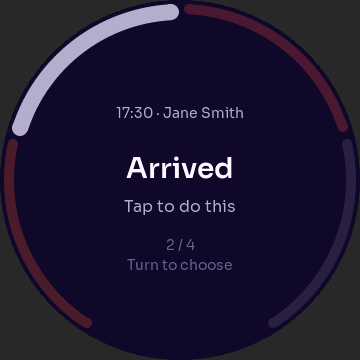
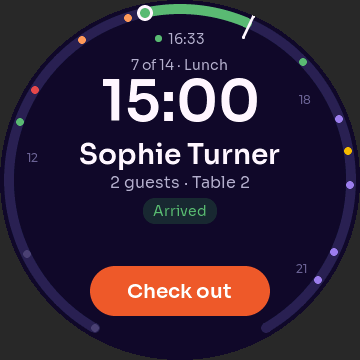
Arrived, Check out, Accept or Decline, No-show. One tap on the screen does it.
-
Undo if you slipped
Every action shows Undo for a few seconds, so a busy Friday doesn't leave the wrong table marked as arrived.
-
Everyone sees it
The change lands in BookingNinja straight away, and changes made on other screens show up on the dial too.
On the screen
Real screens, straight off the dial.
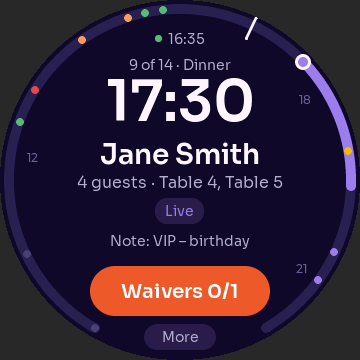
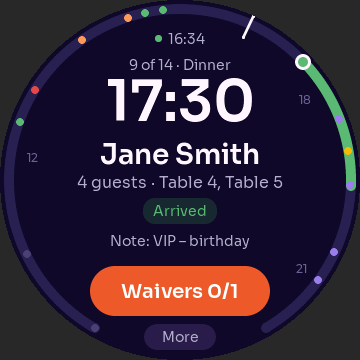
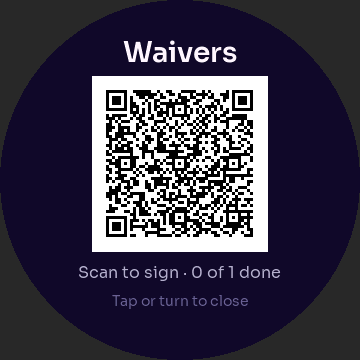
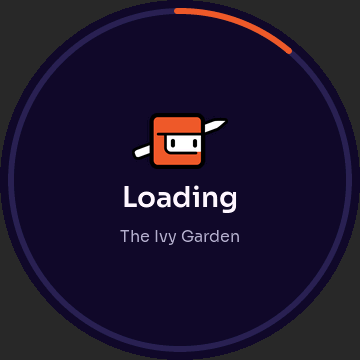
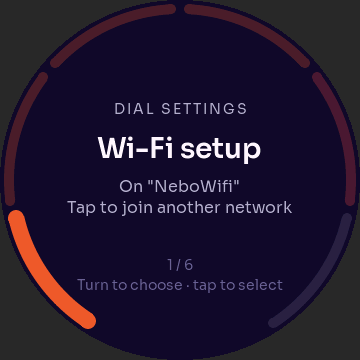
These are captures from a working NinjaDial, not mock-ups. The screen is 1.8 inches across, so everything is big enough to read at a glance.
-
Turn to a booking, tap to act -
The whole day at a glance -
Pick the next step -
Check out with one tap -
Arrived, with waivers still to sign -
Waivers signed at the door -
Paired to your venue -
Settings on the dial
What it does
Small enough for the host stand. Enough to run the door.
The whole booking
Covers, tables, staff notes and allergies on every booking, so the host knows before the guest says a word.
Take the balance by QR
Show a QR code for what's left to pay. The guest scans it and pays on their own phone, and it lands on the booking.
Waivers at the door
If a party still has unsigned waivers, the dial shows a waiver QR. Guests sign on their phones there and then.
Live with BookingNinja
New bookings, moved tables and check-ins from the laptop or the floor plan appear on the dial without you doing anything.
Pairs in seconds
The dial shows a short code. Type it into BookingNinja and it's paired to your venue.
Updates itself
New features arrive over the air, and only when nobody has touched the dial for a couple of minutes.
Touch screen, tactile dial
Turn the ring to move, tap the screen to act. Haptic feedback means you feel each step without looking down.
Battery operated
Put it on the host stand, the bar or the till. It doesn't need to sit next to a plug.

Built for the door
Leave the laptop in the office.
When a party of six walks in at 19:30, nobody wants to wake a laptop, find the right tab and scroll. With NinjaDial the next booking is already on the screen. Turn to it, check the allergy note, tap Arrived.
- The day overview shows the whole service at a glance
- Shows the next booking after a quiet spell, so it's ready when the door opens
- Works alongside BookingNinja on the laptop, tablet and phone
- Two moves for new staff to learn: turn, then tap
Spec sheet
The hardware
- Screen
- 1.8" round touch screen, 360 × 360
- Control
- Rotary dial you can feel click
- Feedback
- Haptic
- Power
- Battery operated
- Connection
- Wi-Fi (2.4 GHz), live sync with BookingNinja
- Updates
- Over the air
- Setup
- Pair to your venue with a code
- Availability
- Coming January 2027
Coming January 2027
Be first in the queue.
Register your interest and we'll email you before NinjaDial ships. Venues that have been with us for over a year get it for less than half price.
NinjaDial
£89.99
One dial, paired to your venue.
With us 1 year+
£39.95
For venues that have been with BookingNinja for more than a year.
Register interest
Takes ten seconds. No payment, no commitment.