Drag-and-drop scheduling, shift templates, conflict detection, and a staff portal where your team manages everything themselves.
No credit card required. No contracts. Cancel anytime.
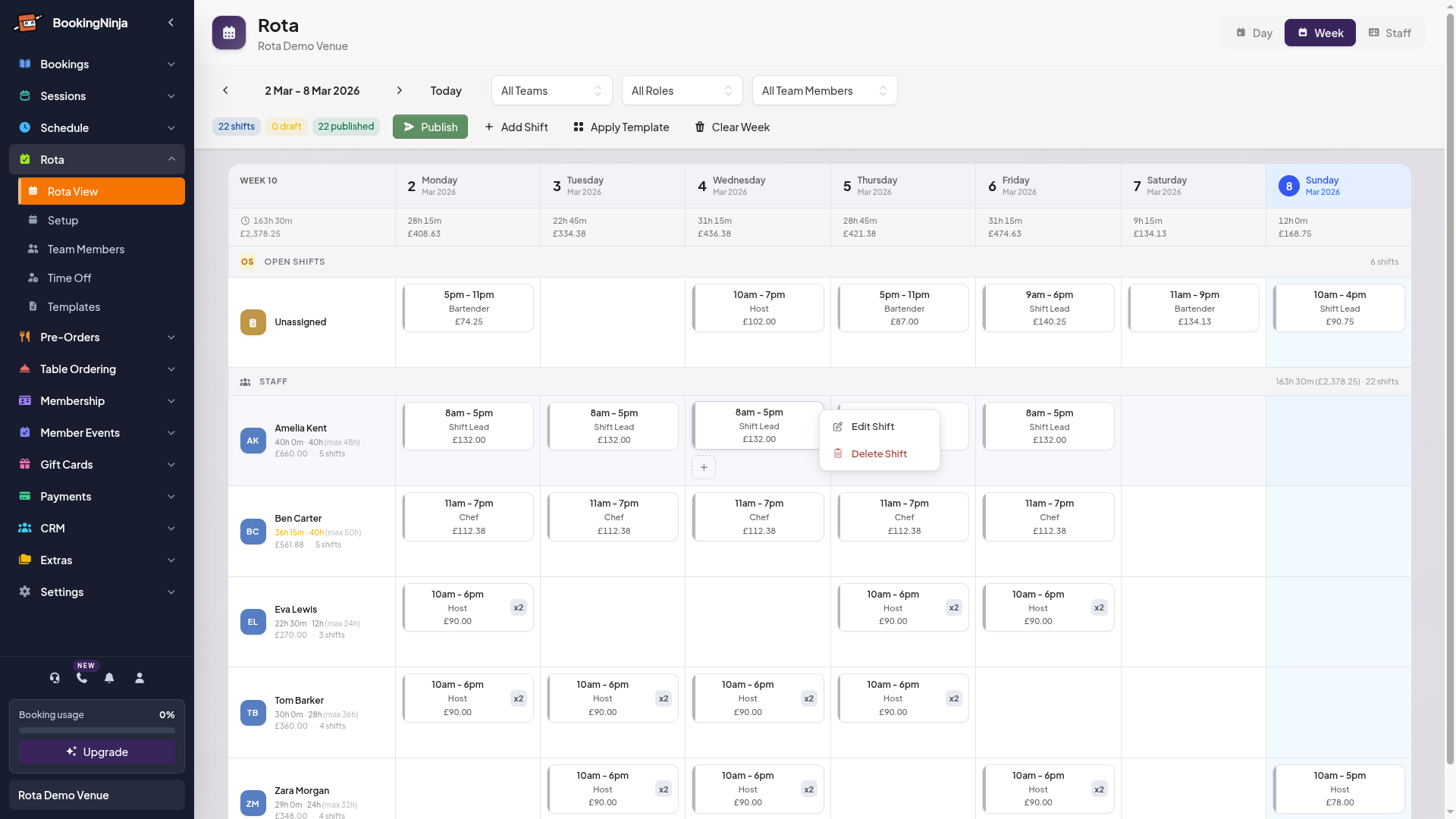
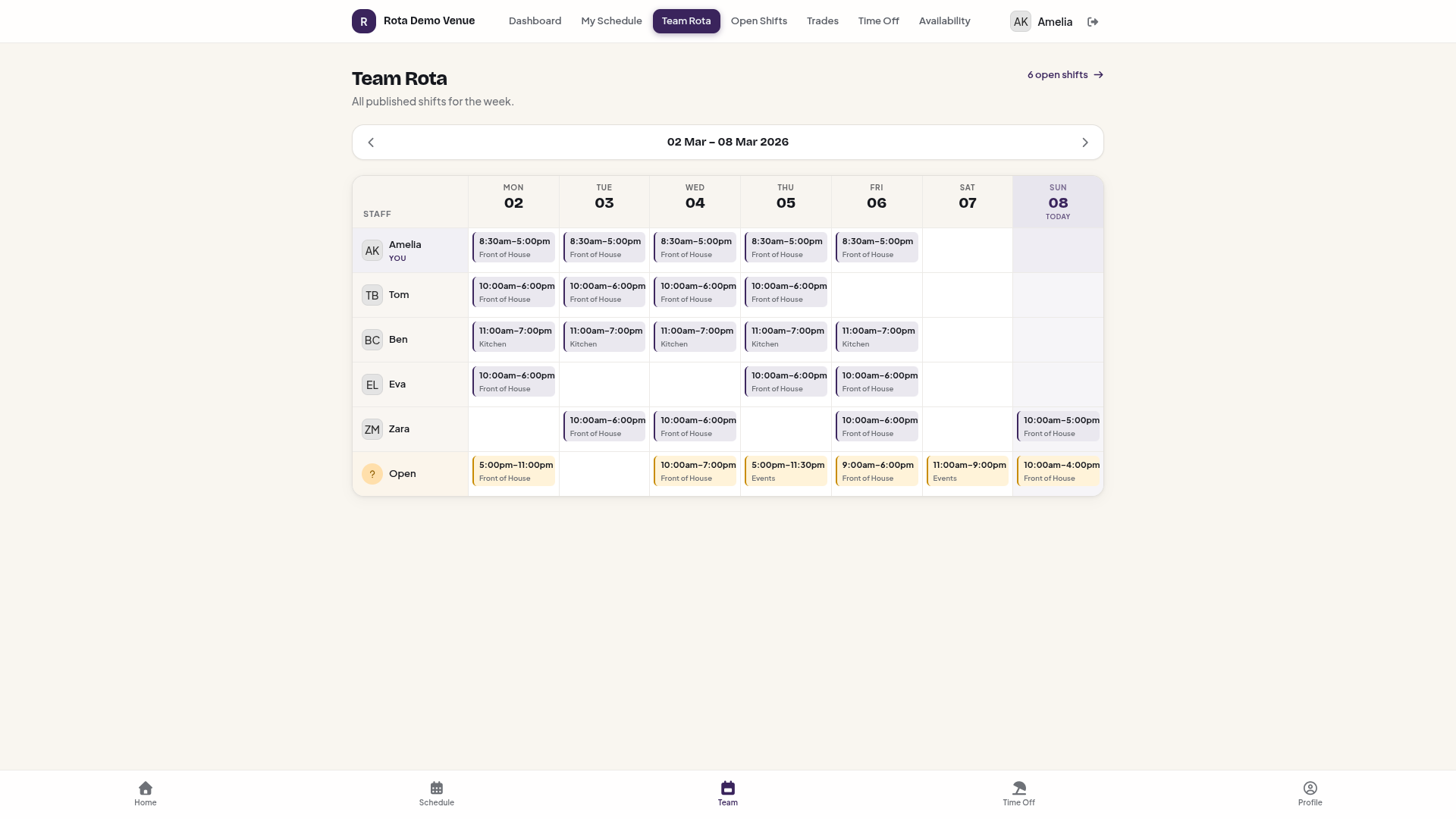
Managers build the rota. Staff see it instantly. Two views of the same week — always in sync.
Same week. Two perspectives. Managers schedule, staff stay informed.
Teams, roles, shift templates, conflict detection, leave management, and a staff portal. All built in.
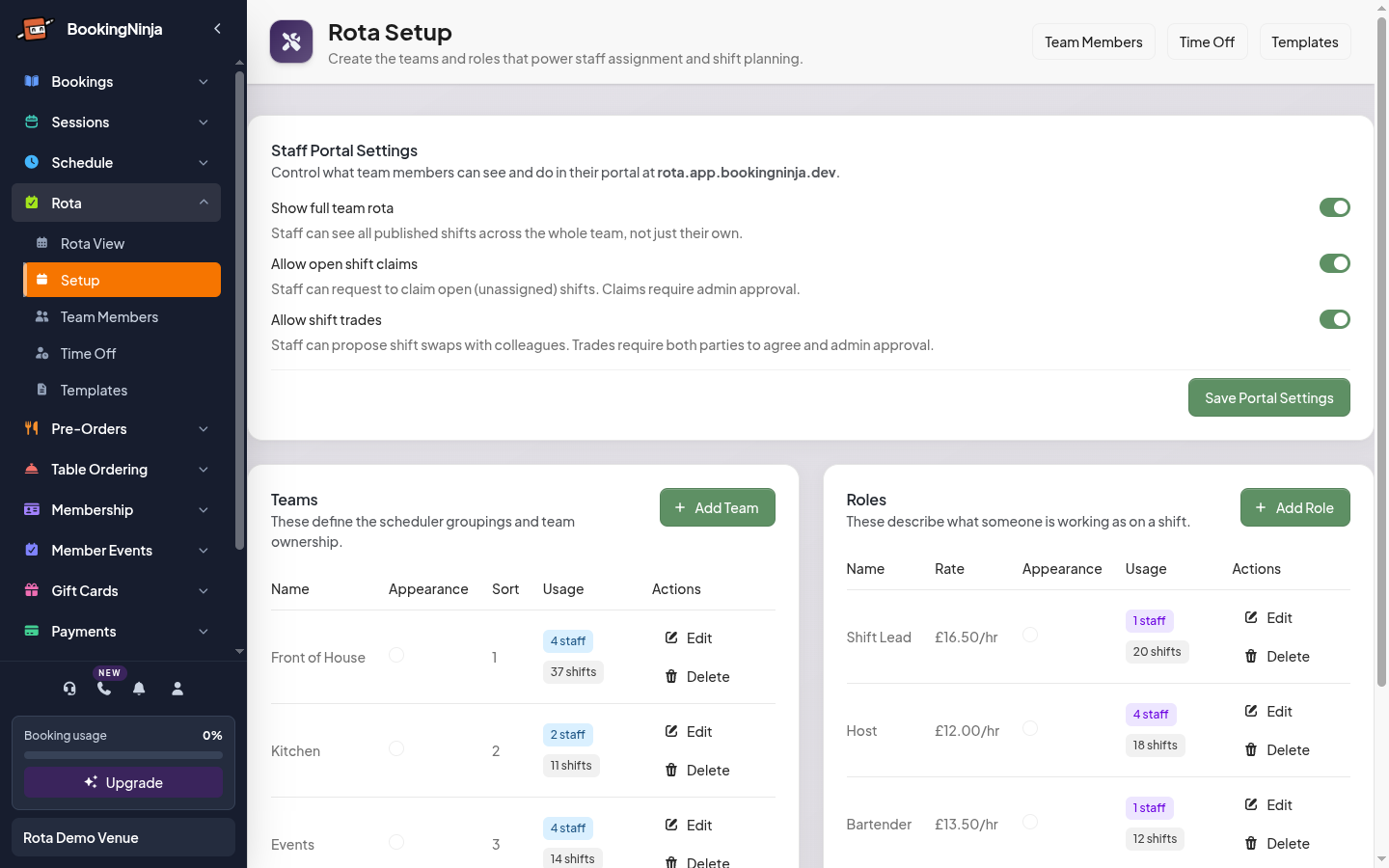
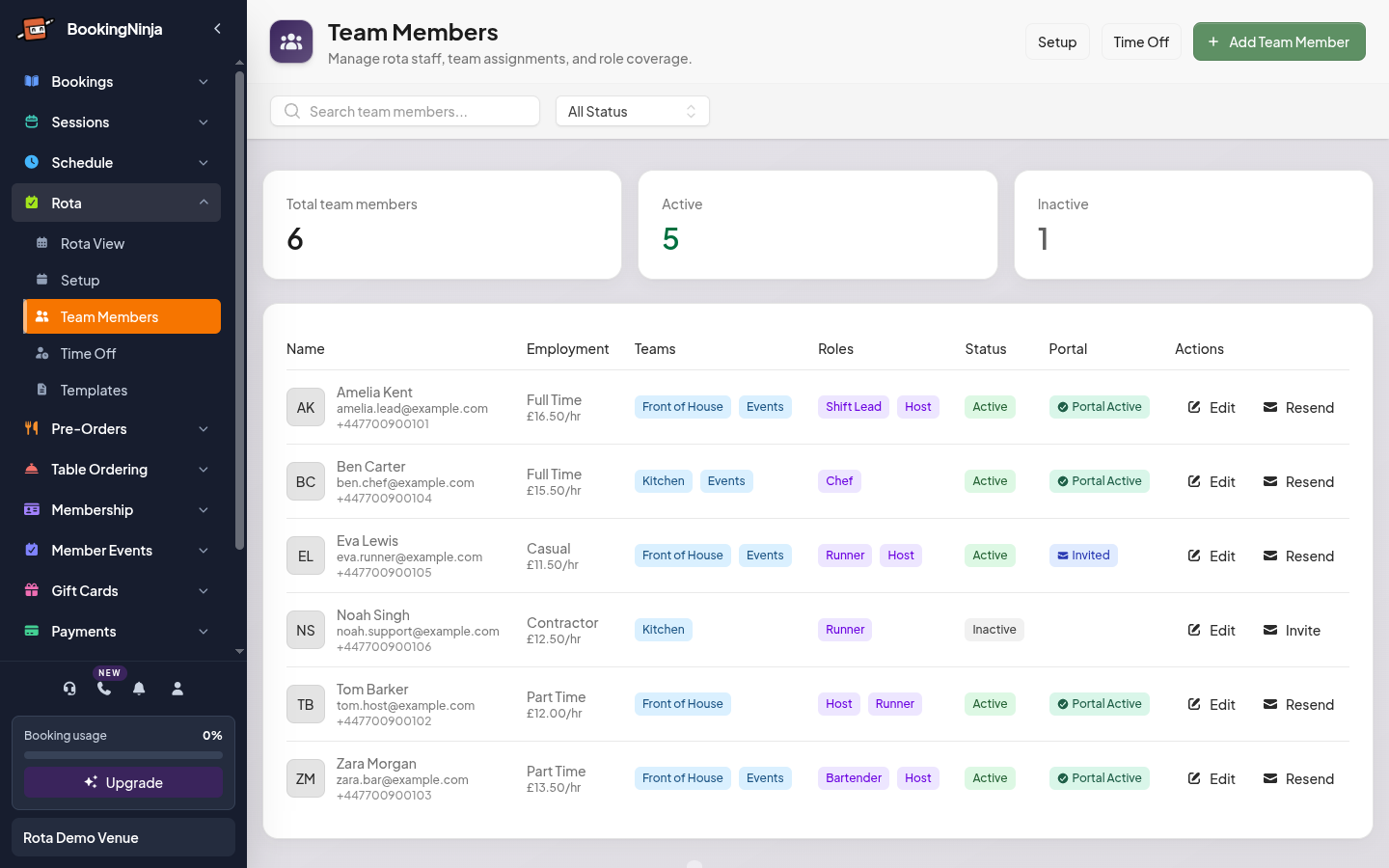
Organise staff into teams like Front of House and Kitchen. Assign roles with hourly rates. See everyone in one place.
Create shifts by dragging on the timeline. Resize to adjust times. Move between staff rows to reassign instantly.
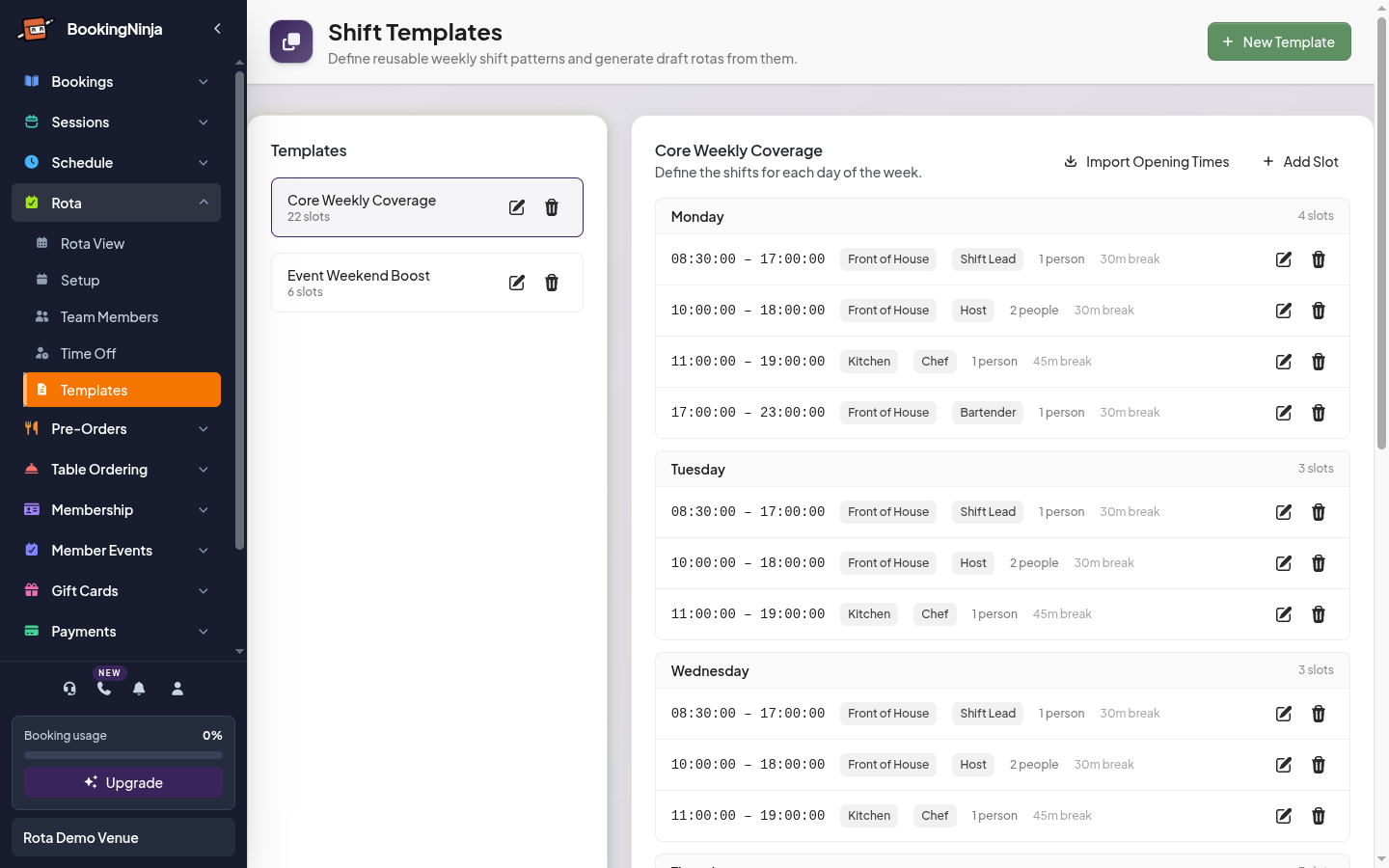
Build reusable weekly templates. Apply them to any week with one click. Auto-assignment fills shifts based on availability and fairness.
Overlapping shifts, approved leave, and unavailability are flagged automatically. Fix issues before you publish.
Publish the week when it's ready. Every assigned staff member gets an email with their shifts. Changes after publishing trigger update notifications.
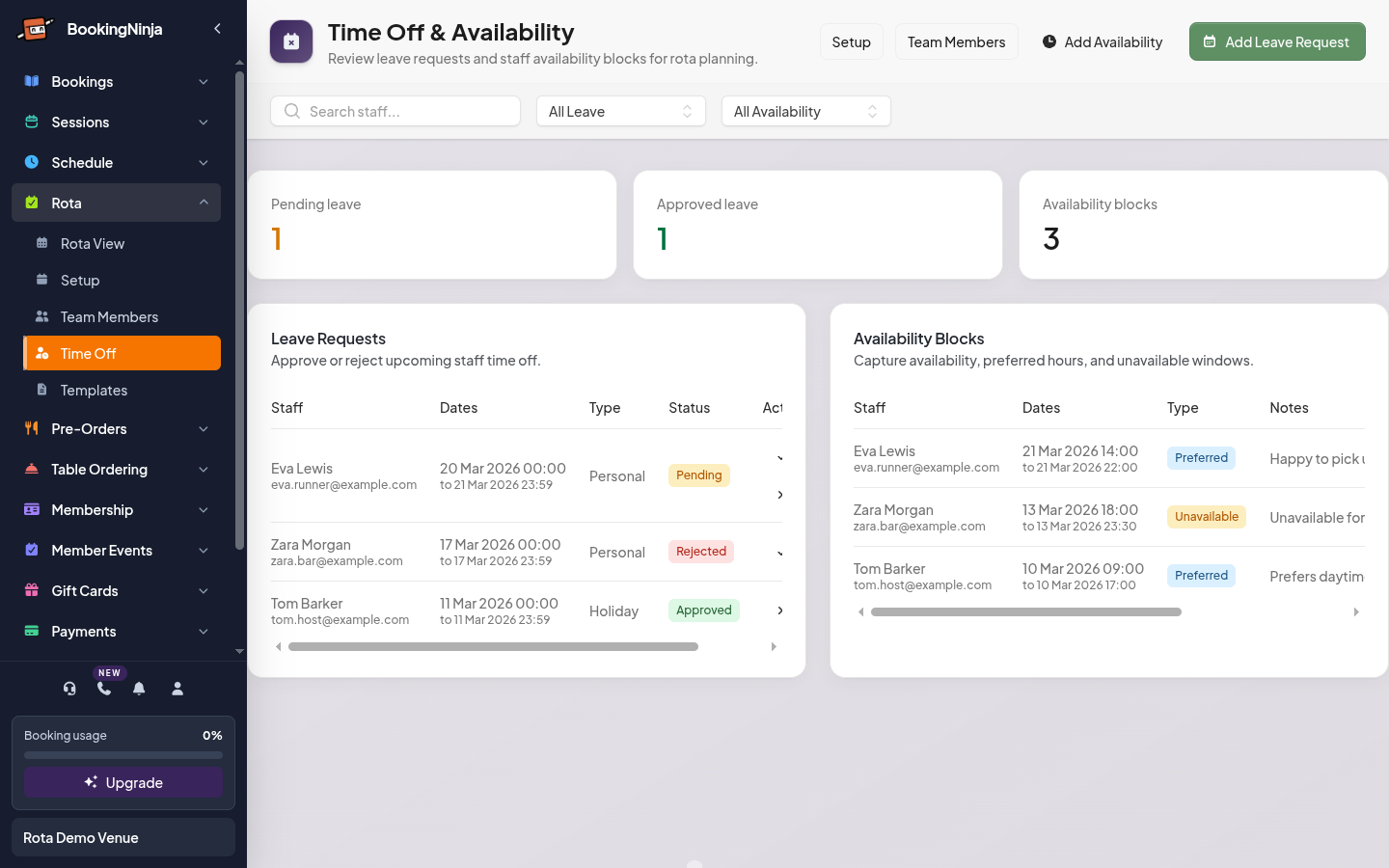
Staff request time off. You approve or reject with shift coverage options. Availability blocks show on the scheduler as background overlays.
Create teams, roles, and add your staff. Set contracted hours, max hours, and weekly availability. Two minutes per person.
Drag shifts onto the timeline or apply a template. The scheduler auto-assigns staff based on availability, fairness, and max hours.
Hit publish. Staff get notified by email. They see their shifts, request time off, swap shifts, and claim open shifts from their phone.
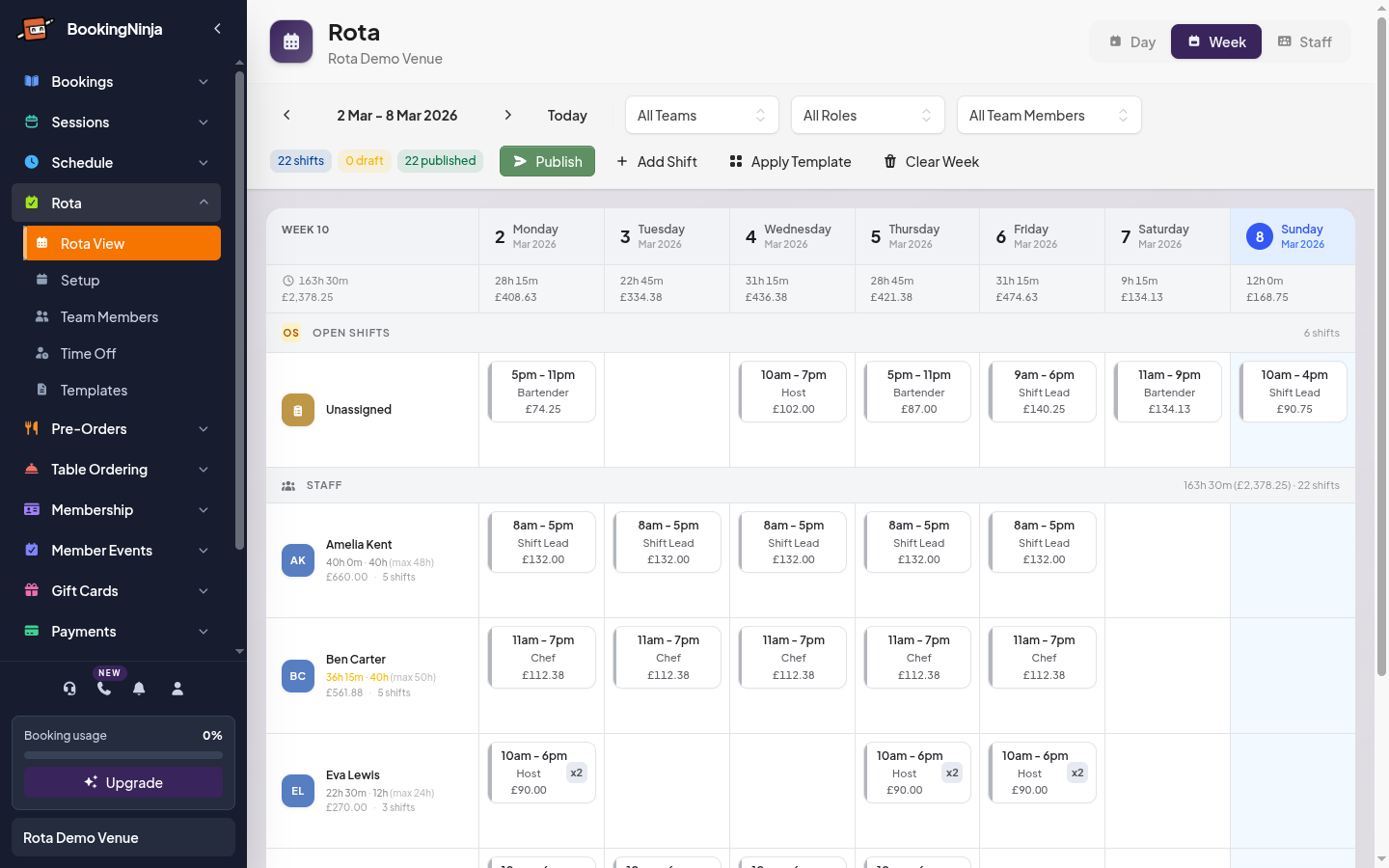
Build a template once with your standard shift patterns. Click “Apply Template” and the system generates a full week of draft shifts — with staff automatically assigned based on availability, fairness, and hours.
22 shifts across 5 staff members, with hours, costs, and open shifts — all generated from a single template.
Build your rota, manage teams, track leave, and create reusable templates — all from one place.
Create teams like Front of House, Kitchen, and Events. Define roles with hourly rates. Control staff portal permissions — who can see the full rota, claim open shifts, or propose swaps.
Add staff with employment type, contracted hours, max hours, and weekly availability windows. Invite them to the staff portal with one click.
Staff request leave from their portal. You approve or reject with shift coverage options — reassign to another team member or convert to an open shift.
Create named weekly templates with shift slots for each day. Apply to any week and the system auto-assigns staff based on availability, team match, fairness, and max hours.
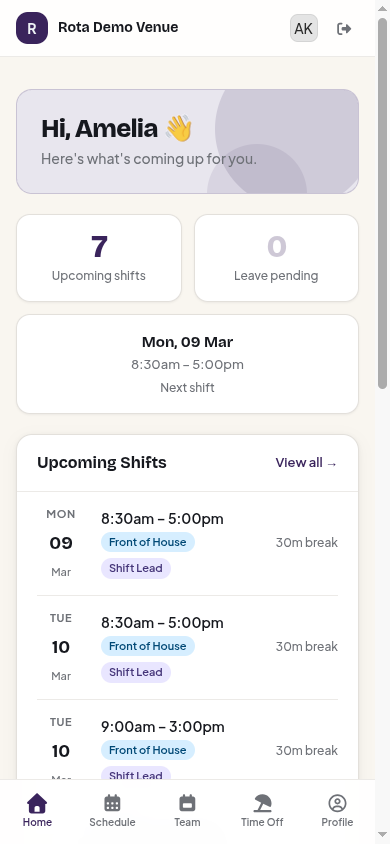
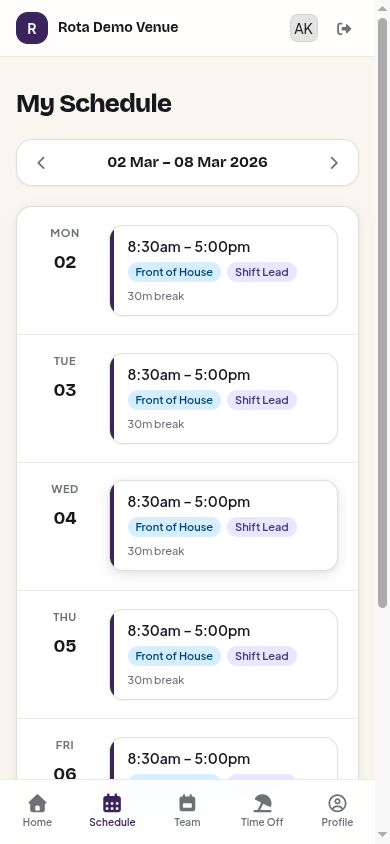
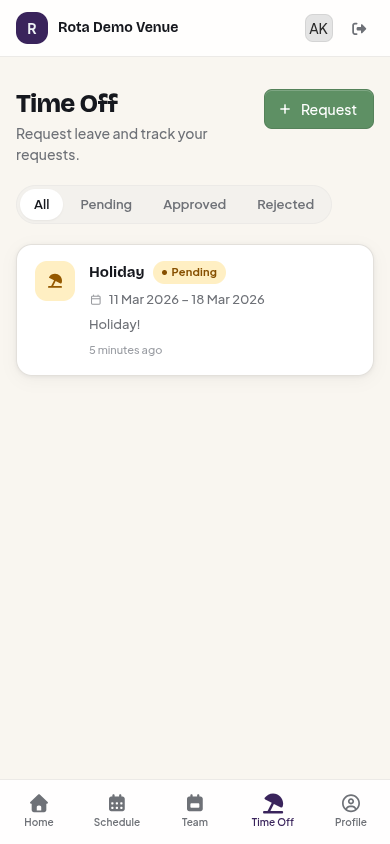
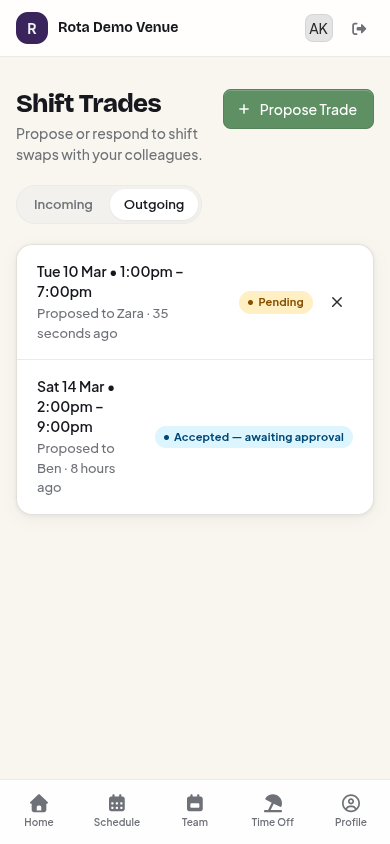
Your team gets their own branded portal. View shifts, request time off, swap shifts, and claim open shifts — all from their phone.
Upcoming shifts, stats, and quick access to everything.
Week view with shift cards. Propose swaps on future shifts.
Request leave, track status, and view history.
Propose swaps with colleagues. Track pending and accepted trades.
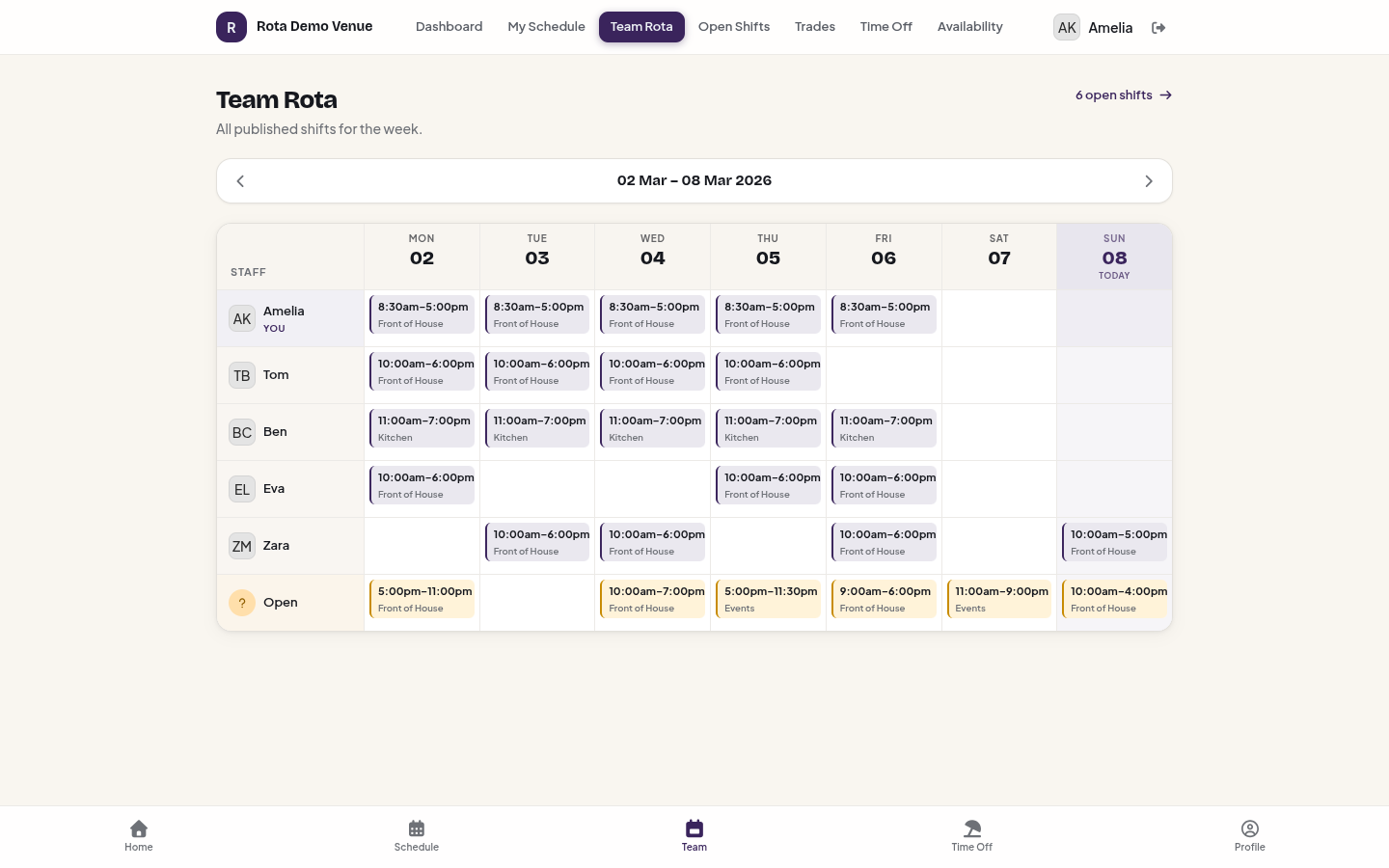
The Team Rota view — every staff member's shifts for the week, at a glance.
Staff propose swaps with colleagues. Both parties agree, then you approve. Everyone gets notified.
Unassigned shifts are visible to the team. Staff claim them, you approve. No more WhatsApp groups.
Staff submit leave from their phone. You approve with shift coverage actions — reassign or open the shift.
Published shifts, changes, cancellations, leave decisions, and trade updates — all delivered by email and optional SMS.
Schedule front of house, kitchen, and events teams. Auto-assign shifts based on availability and contracted hours.
Simple rotas for small teams. Staff see their shifts on their phone and swap when plans change.
Late shifts, split hours, weekend-heavy patterns. Templates make weekly scheduling effortless.
Multiple teams across departments. Each with their own roles, rates, and availability windows.
Everything included with the BookingNinja rota system. No add-ons, no hidden extras.
Staff scheduling is included on every BookingNinja plan. No upgrade required.
No extra charges for rota scheduling
No credit card required. No contracts.
Set up your first rota in under five minutes. Your staff will thank you. Your kitchen will run smoother. No credit card. No contracts.
Free up to 75 bookings/month. Upgrade anytime.