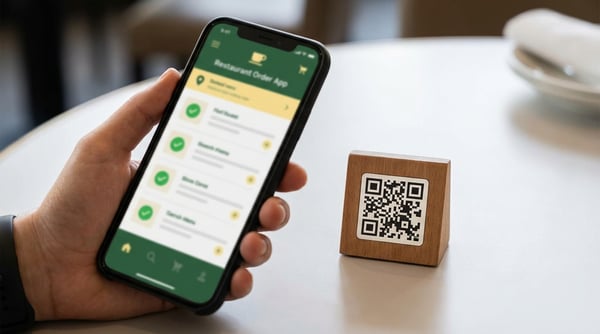
We're strong believers in the power of QR code and at-table ordering. When we setup our board game cafe nearly a decade ago we pretty much instantly realised that with table ordering your giving people more opportunity to spend, while also making it convenient for them.
So many venues thrive on being distraction free and having the interuption of a wait staff asking if they'd like to order anything else can end up being a frustrating experience for your customers, alongside no matter how hard your team try there will always be cases where someone is left waiting 5 minutes more than they need to to order another drink. Sure 5 minutes may not sound like much, but that 5 minutes spread over their entire session a couple of times over might be enough to have otherwise pushed them into ordering more.
What we also realised all those years ago was most table ordering systems are a mixture of really slow and often quite dated. If the experience is frustration for your customer then they'll avoid reordering and in turn you'll be losing out on much needed sales.
We know that any table ordering system has to be flexible and adapt to the wide range of business operations that BookingNinja supports. Board game cafes for example often need to have multiple tabs on the same table, and there also needs to be easy support for splitting tabs, merging them, applying discounts and more. That's why ever step of the way we've focused on making the entire process quick for both you and your customer.
The Cost, or more so, the lack of any additional cost!
Before we get started we thought we'd get this out of the way. The table ordering system is included with no additional cost on any of our paid plans. Online payments (which are optional) are subject to 1% fee which you can pass on to your customers. Even if you exclude the other aspects of BookingNinja such as the bookings, the preorder system, the gift card system, the membership system and everything else - this is still one of the most affordable ways to get table ordering into your venue. In our trialing of this feature, venues adding table ordering have increased their sales in such a way that in less than 1 day they recouped the entire cost of BookingNinja.
Getting Started
Getting started with table ordering is simple. You'll just need to add your products to the system. When you add products you can supply an image (highly recomended if you have them!), set the pricing and then add modifiers. Modifiers are highly customisable where you'll be able to set limits to how many can be added, and of course set how much modifiers cost.
The products are the same products that you can expose to your preorders if your using the preorder system so no need to duplicate any data! You can easily toggle products off and on for the table ordering so when something goes out of stock it's not a 10 page trawl!
A Kitchen Display That is Simple
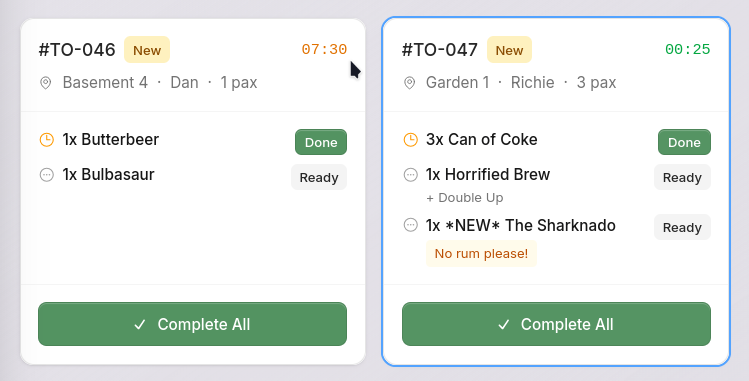
We don't want you to have to have some specialist equipment or ask your team to suddenly learn some new complex system - orders come in instantly on a easy to understand screen. You can pop an iPad up in the kitchen or cafe area and when new orders come in they will flash up and an (optional) noise can be heard. Once the order is sent (or part of an order) then it can be marked as done - no fuss no complexity.
The Customer Journey
Your customers have a couple of different ways of getting to your table ordering page. Firstly they can scan a QR code that you've added to the table. (Get in touch with us and we'll even send you free stickers for all your tables!). When they scan this QR code they'll be taken right to the table ordering page. You can also use a generic QR code / URL and include it on all your menus - this would simply ask them to input what table they are on.
From here they can browse your menu and add items. Depending on your options they can also add payment notes, select modifier choices, and view their past orders.
You'll also be able to ask the customer if they'd like to tip, have predefined percentages or even set an optional (or not so optional) service charge!
Payments Your Way
You can decide how to accept payments for orders. You can have it so customers have a tab that keeps running until you or the customer close the tab and pay (with all the standard payment options supported such as Google Pay, Apple Play and more), or you can have payment required each time they submit an order. Of course if you don't want to accept payments online you can still use the table ordering system and handle payments externally however you feel fit!
If you use the membership system then they'll be able to pay instantly using their previously saved card details.
Analytics That Matter
Understanding what top selling products you have (and what products aren't doing so well) is key to running a business that adapts. It's also imperative you can get an instant overview of the finances of a business as well as be able to dig into the monthly reports and export data in a way that makes sense for your accountants. With the table ordering analytics you'll be able to get an overview without any fuss. Drill down into what days produced what tips; find what your busy hours are and see how modifiers are impacting your bottom line. Table ordering comes with a full suite of analytic tools.