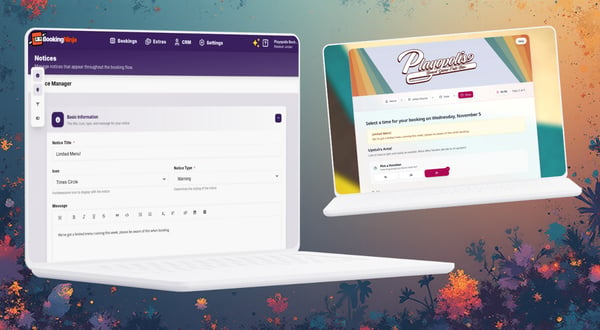
We’re excited to introduce Contextual Notices — a simple way to add clear, timely messages to your booking forms at exactly the right moments. This feature was requested by a customer who wanted to set expectations during busy seasons without redesigning pages. You can use it to highlight a menu change, or to inform the customer upfront about something they need to do.
Where notices can appear
- Guest Type Selection
- Calendar (date selection)
- Time selection (slot picker)
- Customer details
- Payment/checkout
- Add‑ons
- Table selection (if enabled)
- Confirmation
How to add a notice
- From your dashboard, head to Settings → All Settings → Look & Feel
- Choose where it should appear in the booking journey
- Optionally target specific session(s)
- Set date ranges if needed (e.g., seasonal or limited‑time)
- Write a short title and message
- Save
Multiple notices can show at once; although we’d suggest you don’t over do it on notices to avoid overwhelming people with information!
Thank you
This feature was requested by a customer who needed clearer, step‑specific messaging for seasonal changes. Thank you for the feedback — keep it coming!