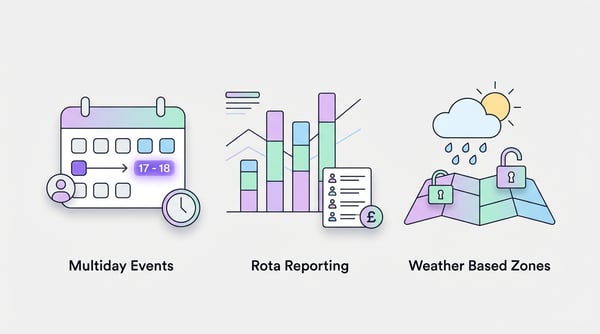
We've rolled out some new features all based on user requests!
Multi-Day Events & Event Duration Improvements
For a few years now we've supported events (both regular capacity and ticketed) being able to run on several different days where the user picks what date they want to book in, but we've often heard that actually you'd like to be able to create a single event that spans multiple days. Some use cases for this include booking into a multi-week course, or a whole weekend event.
There is a lot of complexity to what may otherwise seem a simple feature, but after a fair amount of time working and doing quality assurance we've now rolled out support for multi-day events. With this you can now select which days you want the event to run, set their start and end time (which can be different for each day), and then save.
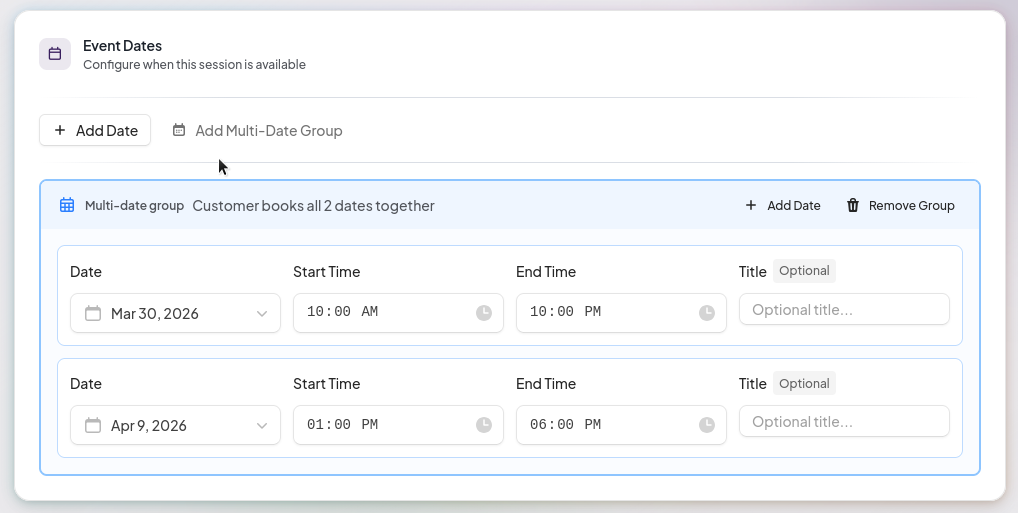
You can still add multiple dates as before (where the customer can pick which date they are booking into), with the only difference here being we've moved the duration from being "how long is this session in minutes" to "when does the event start and end" as we think that is more in line with how people actually think about their events! I doubt you've ever thought your pub quiz night will be 180 minutes rather than 7PM to 10PM!
Weather-Based Zones
As we edge, slowly, into Summer here in the UK there comes around a common problem facing any venue with an outside area; do we let it be booked and run the risk of the British weather? Traditionally venues have handled this by having a disclaimer that if they book for the outside then they aren't guaranteed a space indoors which is fine, but obviously not ideal.
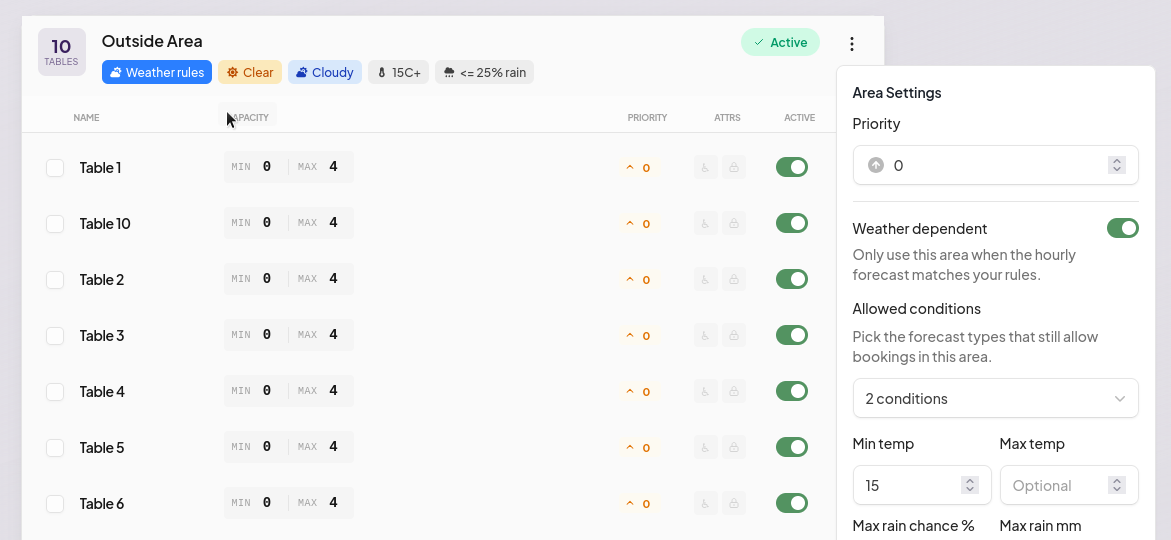
Last year we had a lot of venues constantly going in and adding closures and then removing closures for their external spaces after they checked the weather. This is an error-prone and time-consuming process that ultimately we think we can simplify, and with that in mind we've introduced "Weather dependent" area control.
A weather-dependent area is simply enabled or disabled based on the current prediction for the day the guest is trying to book. With weather prediction obviously not being 100% right we do suggest that if you are going to use the weather prediction then you set the session with a limit of 7 days in advance for bookings as this is where the prediction will be the most accurate.
We use multiple sources to collect the weather information and the reports will be based on your venue's currently set location.
Fill-Based Time Slots
This one is slightly hard to explain, but if you need it you'll get it!
Dynamic Availability ensures you are back to back (useful for things like parties) calculating available start times from the gaps between existing bookings:
- On an empty day, your booking page shows your default start times (based on your opening hours and slot interval)
- As soon as someone books, the system recalculates the remaining available times automatically
- Each booking blocks out its full duration and the next available slot starts after that buffer ends
Standard Mode vs Dynamic Mode
Here's what the difference looks like. With Standard Intervals, the same fixed slots appear every day regardless of bookings:
With Dynamic (Gap-Based), when a booking comes in, the available times shift automatically. Here's what happens when someone books a 2-hour party at 1pm:
Notice how the slots after the booking shifted — 3:30pm is offered instead of 3pm because the system knows the 1pm booking plus its 30-minute buffer runs until 3:30pm.
Analytics Overhaul
We know to run a successful business you need to understand your metrics and get great insights, that's why we've revamped the analytics page to provide a lot more information but also present the information in a way that is much clearer and more direct. Give the new analytics page a look and let us know how you're finding the new data points!
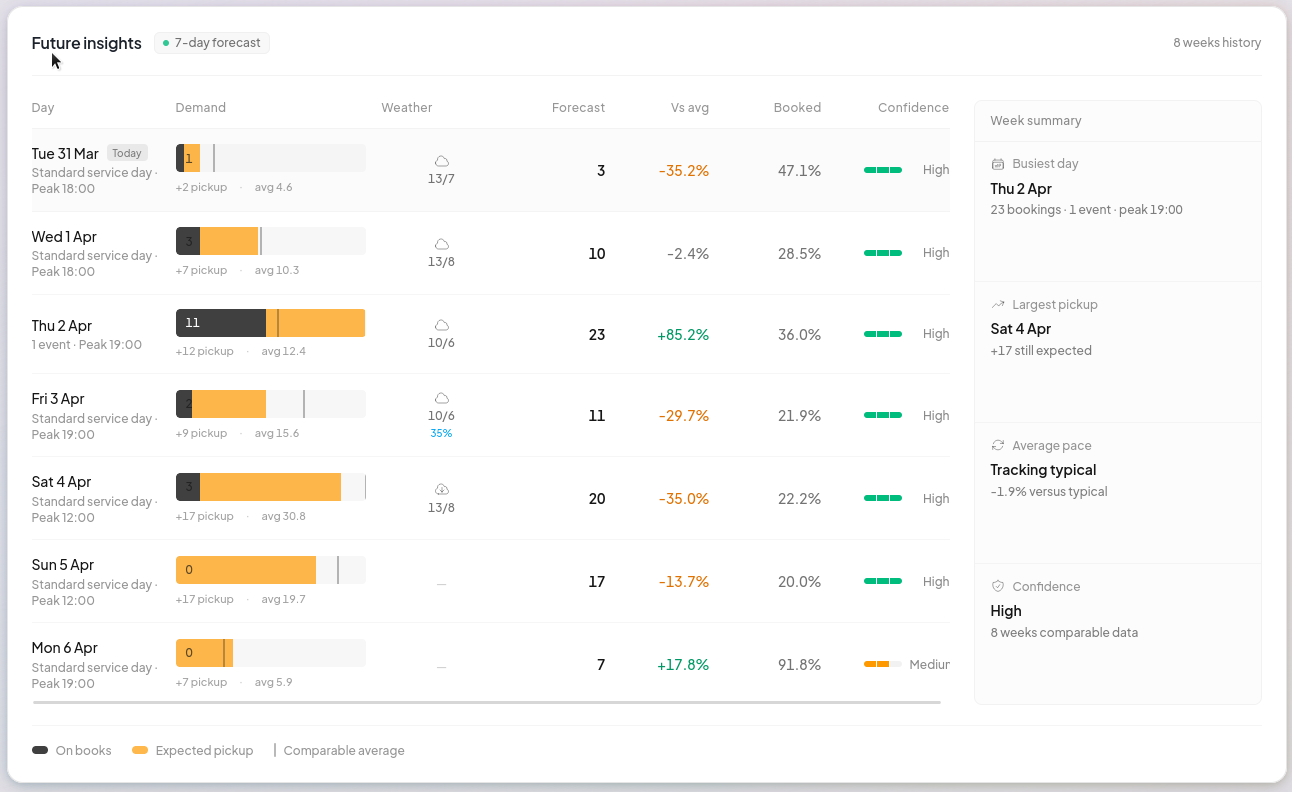
One of the more exciting data points we've added is future insights. We're using a custom algorithm with our own machine learning to spot trends, understand the impact of events and generally take in multiple different data points from your venue to give you a preview of your upcoming week. The insights even take into account how the weather has previously impacted and compare that against the future weather data points. Obviously it's not 100% free from making mistakes, it's still a best efforts prediction and there are always external factors we can't account for, but hopefully it will at least highlight when you might want to bring in additional team members (or vice versa, when you might be overstaffing).
Rota Reporting & Payroll
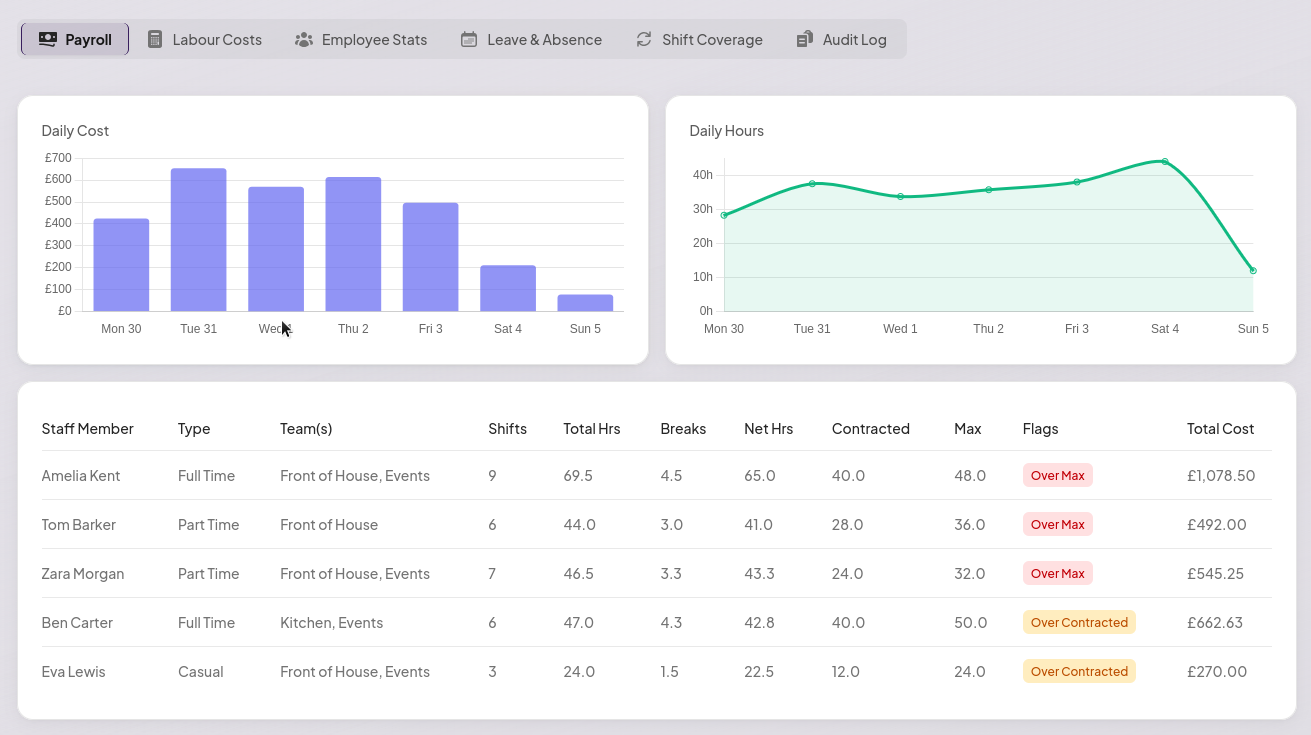
We've seen a big uptake of our rota system. It's been great to hear how moving this into BookingNinja has saved a lot of you both time and money! As the booking software itself is already quite feature rich we have more development time to assign to additional features like this!
With that said we've rolled out in-depth reporting for the rota system so that you can now understand your staffing costs, who is over or under their contracted hours and importantly generate payroll documents to send to your accountants (in either PDF or CSV).